Fan-Out Query Competitive Intelligence: See What AI Models Search Before They Answer
A deep-dive guide on using Superlines fan-out query data to understand how AI models research answers, identify competitive content gaps, and build automated competitive monitoring workflows.


Table of Contents
What are fan-out queries?
When a user asks ChatGPT, Perplexity, or Google AI a question, the AI model does not always answer from memory. It frequently performs background web searches — sometimes called “fan-out queries” — to gather fresh information before generating a response. These searches are invisible to the end user, but they determine which websites get cited and which brands appear in the answer.
Superlines captures this behavior at the prompt level and helps you inspect:
- What the AI searched for — the actual queries it sent to search engines
- Which results it found — the URLs that appeared in those searches
- Which pages earned citations — the specific URLs that made it into the final AI response
- How your competitors rank — where competitor pages appear in the AI’s research process
Fan-out data is one of the strongest inputs for competitive intelligence in AI search, but it is most useful when you combine it with your broader visibility, citations, and sentiment views instead of treating it as a standalone report.
Why does this matter now?
The shift to AI-mediated discovery is already material:
- Google said in July 2025 that AI Overviews has over 2 billion monthly users across more than 200 countries and territories in 40 languages, and that AI Overviews is driving over 10% more queries globally for the query classes where it appears. Source: Google Q2 2025 earnings remarks.
- Bain reported in February 2025 that 80% of consumers rely on AI-written results for at least 40% of their searches, while about 60% of searches now end without a click-through and organic traffic is being reduced by 15% to 25%. Source: Bain & Company.
- Adobe reported in March 2025 that traffic from generative AI sources to U.S. retail websites increased 1,200% from July 2024 to February 2025, and 39% of surveyed consumers had already used generative AI for online shopping. Source: Adobe Analytics.
This is why fan-out data matters: it shows how AI engines research answers before they decide which sources to trust.
How should you use this inside Superlines?
The most reliable workflow is:
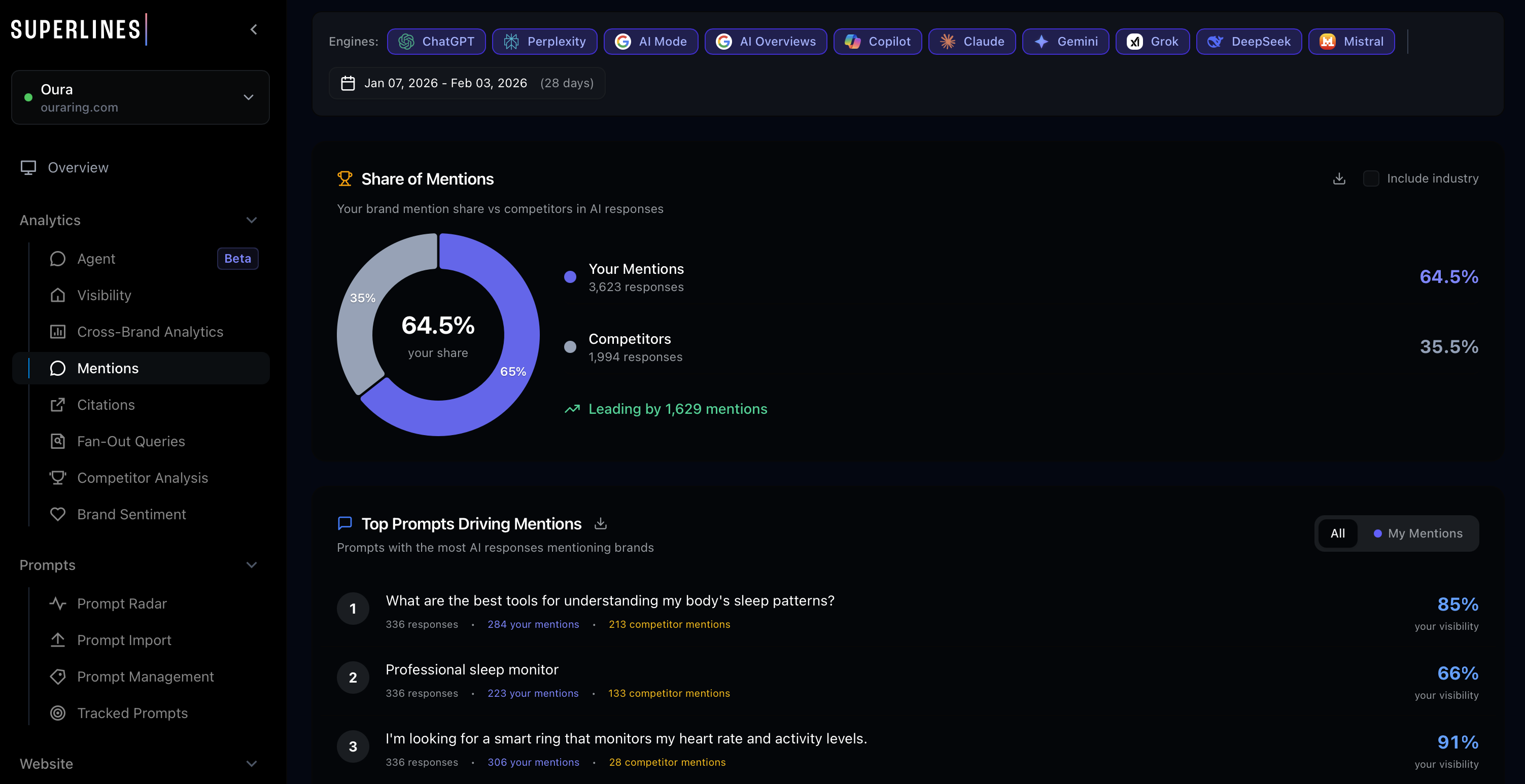
- Start in Competitive Benchmarking to see where your brand loses share by prompt, competitor, and engine.
- Check Citations Gap to identify prompts and URLs where competitors are earning citations that you are not.
- Open the prompt-level fan-out query view to inspect the background searches and source URLs behind those gaps.
- Cross-check Brand Sentiment when visibility is low but mentions are increasing because negative or mixed associations can explain weak citation performance.
- Use Prompt Radar or suggested prompts to turn repeated fan-out patterns into new tracking coverage.
If you have strong performance on one engine but weak performance on another, filter by engine before drawing conclusions. In many accounts, Google AI Mode, Copilot, ChatGPT, Perplexity, Gemini, and Claude behave very differently.
Why does fan-out data change the game?
Traditional SEO competitive intelligence tells you who ranks for which keywords. Fan-out query data tells you something far more actionable: which content AI models actually trust and cite when answering questions about your market.
What fan-out data reveals
| Insight | What it means | Strategic action |
|---|---|---|
| Competitor pages cited repeatedly | AI models trust this content as authoritative | Analyze what makes these pages citation-worthy, then create better content |
| Your pages appearing in searches but not cited | AI finds you but doesn’t trust you enough to cite | Audit the page for structure, authority signals, and content gaps |
| Topics you’re completely absent from | AI doesn’t even find you when researching these areas | Create new content targeting these specific topics |
| Fan-out queries that differ from the original prompt | AI rephrases and expands the user’s question | Discover adjacent topics and long-tail opportunities |
| Source diversity patterns | How many different domains AI pulls from | Understand whether your market is concentrated or fragmented |
How do you get fan-out query data?
In the Superlines UI
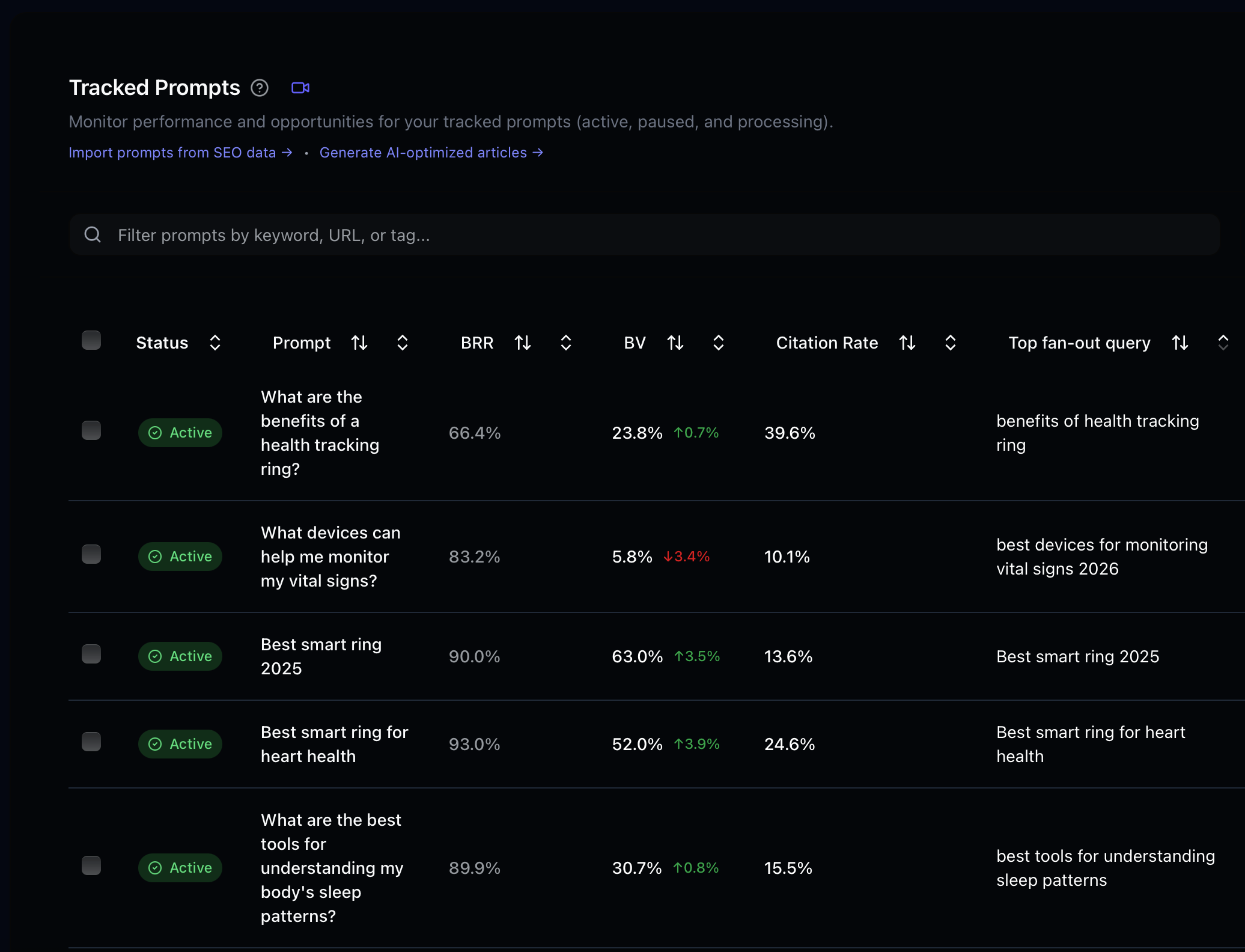
Fan-out query data is available at the prompt level in your Superlines dashboard. Navigate to any tracked prompt and look for the fan-out analysis section, which shows the background searches, source URLs, and citation patterns.
Via MCP
The get_fanout_query_insights tool provides programmatic access to fan-out data. In Claude Desktop or Cursor:
Show me the fan-out query insights for [Brand Name]. I want to see what
AI models search for when answering our tracked prompts, which competitor
pages appear most often, and where we're missing from the results.
The tool returns structured data including the fan-out queries themselves, the URLs found, citation frequency, and competitive positioning.
An illustrative response shape looks like this:
{
  "prompt": "best ai visibility tools for b2b saas",
  "fanout_queries": [
    "ai visibility tools",
    "best llm seo tools for b2b",
    "brand visibility in chatgpt"
  ],
  "top_urls": [
    "https://competitor.com/ai-visibility-guide",
    "https://example.com/llm-seo-tools"
  ],
  "cited_urls": [
    "https://competitor.com/ai-visibility-guide"
  ],
  "our_urls_found_not_cited": [
    "https://www.yourbrand.com/ai-search-platform"
  ]
}
The exact fields can vary by tool version, but the core pattern is the same: what the model searched, what it found, and which pages won the final citation.
Workflow 1: Competitive content gap analysis
This workflow uses fan-out data to identify content you need to create or improve.
Step 1: Identify your highest-priority prompts
Start with prompts where you have low visibility but high strategic importance. For smaller brands or newer prompt sets, use a realistic cutoff such as below 10% visibility or below your category baseline, not an arbitrary 30% threshold:
For [Brand Name], show me prompts where our brand visibility is below 10%
or below our category baseline, and at least 2 competitors are being cited.
Rank them by how many competitors appear in the results and by citation gap.
You can also start from the Citations Gap view:
For [Brand Name], show me the biggest citation gap opportunities where
competitors are repeatedly cited and we are not. Group them by prompt and
highlight the prompts with the largest citation deficit.
Then take the worst offenders into the prompt-level fan-out view.
Step 2: Analyze fan-out queries for those prompts
For each underperforming prompt, dig into what AI models actually search for:
For the prompt "[specific prompt]", show me the complete fan-out query
analysis:
1. What background searches does the AI perform?
2. Which URLs appear in those searches?
3. Which URLs earn citations in the final answer?
4. Are any of our pages found but not cited?
5. Does the pattern differ by engine, country, or language?
Step 3: Audit the winning pages
Once you know which competitor pages are earning citations, analyze why:
Audit these competitor URLs that are winning citations for
"[specific prompt]":

[paste competitor URLs from fan-out data]

For each URL, analyze:
- Content structure and depth
- Schema.org markup
- Authority signals (backlinks, domain authority)
- What specific information the page provides that we don't
- Why AI models might prefer this page over ours
If you have a SERP scraper MCP (like Bright Data) connected, the agent can crawl these pages and provide a detailed content comparison automatically. Use that step to enrich the audit, not as a required dependency.
Step 4: Create your content action plan
Based on the fan-out query analysis and competitor audit for
"[specific prompt]", create a content action plan:

1. What new pages should we create?
2. What existing pages should we update?
3. What specific information, structure, or markup changes would
   make our content more citation-worthy?
4. What related topics from the fan-out queries should we cover?
5. Which engine should we prioritise first based on where the gap is largest?
Step 5: Validate crawl readiness before publishing
If the page you plan to create or update is not crawlable, it will not earn citations even if the content is strong. Before publishing, verify the page is indexable, included in the sitemap, linked internally, and accessible to AI bots. If you need a deeper checklist, use the workflow in From Crawl to Citation to Click.
Workflow 2: Steal competitive content ideas
Fan-out data reveals not just who’s winning, but exactly what content earns AI trust. This workflow systematically extracts content ideas from competitor wins.
The competitive citation audit
For [Brand Name], run a competitive citation audit:

1. Across all our tracked prompts, which competitor URLs are cited
   most frequently?
2. Group these URLs by topic/theme
3. For the top 10 most-cited competitor pages, explain what makes
   them citation-worthy
4. For each one, suggest a content piece we could create that would
   compete for the same citations
Cross-prompt pattern analysis
The same competitor page might be cited across many different prompts. This reveals their strongest content assets. In many accounts, a 2+ prompt threshold is more realistic than 5+:
Show me competitor domains that appear in fan-out results across 2 or
more of our tracked prompts. For each domain:
1. Which of their pages appear most often?
2. Which prompts do they dominate?
3. What content format do they use (blog posts, guides, tools, data)?
4. What's our equivalent content, if any?
5. Which engines cite them most often?
Workflow 3: Discover content topics from AI search behavior
Fan-out queries often reveal topics you haven’t considered. When an AI model receives the prompt “What’s the best project management tool for startups?”, it might search for “project management tool comparison 2026”, “startup project management needs”, and “Trello vs Asana vs Monday for small teams.” Each of these searches represents a topic opportunity.
Topic discovery prompt
Analyze fan-out queries across all our tracked prompts for [Brand Name].
Find fan-out search queries that represent topics we don't currently have
content for:

1. List unique topic clusters from fan-out queries
2. Mark which topics we already cover (based on our cited URLs)
3. Highlight topics where competitors have content but we don't
4. Estimate priority based on how many prompts trigger each topic
5. Break out the results by engine, country, and language
From topics to content briefs
For the top 5 uncovered topics from the fan-out analysis, create content
briefs:

For each topic:
- Suggested title and format (article, guide, comparison, tool)
- Key questions to answer (based on the fan-out queries that surface this topic)
- Competitor content to reference and improve upon
- Target prompts this content should help us win
- Schema.org markup recommendations
Multi-market note
If your tracked prompts span multiple countries or languages, do not merge them into one brief by default. Fan-out patterns often diverge by market. Create separate briefs when the winning pages, cited domains, or terminology differ meaningfully by language or geography.
Workflow 4: Automated competitive monitoring
Fan-out competitive intelligence becomes most powerful when automated. This workflow sets up continuous monitoring.
Weekly competitive snapshot
Run this prompt weekly (or set up as part of an automated pipeline):
Generate a weekly fan-out competitive intelligence report for [Brand Name]:

1. NEW THREATS: Competitor URLs that appeared in fan-out results this week
   but weren't there last week
2. LOST GROUND: Prompts where we were previously cited but competitor
   content has displaced us
3. OPPORTUNITIES: Fan-out queries where no strong content exists yet
   (fragmented sources, low-quality results)
4. WINS: Prompts where our citations increased this week
5. ENGINE SHIFTS: Engines where our visibility or citations changed the most

Format as a structured report with priority actions.
Automated alert workflow
For teams building agentic workflows, you can create an autonomous monitoring system:
Check fan-out query data for [Brand Name] and compare with last week's
baseline:

1. If any new competitor URL is cited in 3+ of our tracked prompts,
   flag as HIGH PRIORITY and analyze the page
2. If we lost citations on any strategic prompt (labeled "strategic"),
   generate an immediate action plan
3. If new fan-out query topics emerge that we don't track, save them as
   suggested prompts and, if write access is available in this workflow,
   add them to tracking with the label "fanout-discovery"

Save the report to our workspace for review.
This wording matters: some teams run fully read-only analysis flows, while others have MCP write access enabled. Design the workflow to handle both cases.
Workflow 5: Feed fan-out intelligence into content pipelines
The highest-leverage use of fan-out data is feeding it directly into content creation workflows.
The intelligence-to-content loop
Use this as a repeatable seven-step loop:
- Identify prompts where you underperform.
- Analyze the fan-out queries behind those prompts.
- Audit the competitor pages winning citations.
- Create content briefs informed by those fan-out patterns.
- Publish or update content that answers the exact subtopics AI models search for.
- Track changes in visibility, citations, and sentiment in Superlines.
- Repeat as new fan-out data reveals what changed.
Connecting to a content agent
If you’re using the Agentic AEO Content Pipeline, fan-out data is already integrated into Phase 1 (Intelligence Gathering) and Phase 2 (Competitive Deep Dive). The agent uses get_fanout_query_insights to discover what AI models search for, then combines get_top_cited_url_per_prompt, get_competitive_gap with includeAIAnalysis, and Bright Data scraping to understand why certain pages win.
For simpler setups, you can manually chain the intelligence into content creation:
Using the fan-out query analysis from our top 5 underperforming prompts:

1. Identify the 3 highest-priority content pieces we should create
2. For each piece, write a detailed content brief that:
   - Covers the specific topics AI models search for (from fan-out data)
   - Matches or exceeds the depth of the top-cited competitor content
   - Includes recommended Schema.org markup
   - Targets specific prompts and fan-out queries
3. If possible, draft the first article in full
Workflow 6: Monitor sentiment before a visibility drop compounds
Low visibility is not always only a content-coverage problem. If your brand is being mentioned but not trusted, or if mixed/negative framing is increasing, fan-out analysis should be paired with sentiment analysis.
For [Brand Name], show me prompts where:
1. Our visibility is low or declining
2. Our sentiment is mixed or negative
3. Competitors are cited positively

For each prompt:
- Show the fan-out queries behind the response
- Identify the claims, comparisons, or missing proof points that may be
  causing weaker sentiment
- Recommend page updates, proof points, or supporting content we should add
Use this workflow when your citations are flat but the language around your brand is deteriorating. It helps you fix positioning, not just coverage.
Advanced: Combine fan-out data with Prompt Radar and prompt discovery
Fan-out queries are also a discovery mechanism for new prompts to track. The background searches AI performs often reveal adjacent questions and topics that your audience cares about.
Fan-out to prompt pipeline
Analyze all fan-out queries from our tracked prompts for [Brand Name]:

1. Extract unique fan-out search queries that look like questions a
   user might directly ask an AI assistant
2. Check which of these we're already tracking as prompts
3. For any that we're NOT tracking, estimate their strategic importance
   based on:
   - How many of our tracked prompts trigger this fan-out query
   - Whether competitors are well-positioned for these topics
   - Whether we have existing content that could compete
4. Save the top candidates as suggested prompts and compare them with
   Prompt Radar recommendations before adding the best ones to tracking
Prompt Radar is the automation layer that keeps this loop alive over time. Use fan-out analysis to understand why a topic matters, and Prompt Radar to make sure you keep discovering new prompt opportunities at scale.
Key takeaways
- Fan-out queries show the research path behind AI answers and become much more actionable when paired with Competitive Benchmarking, Citations Gap, and Brand Sentiment.
- Use realistic thresholds such as below-category-baseline visibility or 2+ repeated prompt patterns, especially in smaller accounts.
- Engine, country, and language filters matter because ChatGPT, Google AI Mode, Copilot, Perplexity, Gemini, and Claude often surface different winners.
- Content fixes and technical fixes work together because uncrawlable or weakly linked pages rarely earn citations no matter how good the brief is.
- Prompt Radar and suggested prompts close the loop by turning fan-out insights into new tracking coverage and ongoing monitoring.
Start with Workflow 1 to identify your most urgent competitive gaps, then build toward automated monitoring and sentiment-aware workflows as your program matures.